dbt Labs
dbt Labs is the company behind dbt (data build tool), which is an open-source analytics engineering tool. It enables data professionals to transform their raw data into structured datasets that can provide valuable insights through SQL-based transformations. dbt Labs focuses on enhancing data transformation processes by providing a modular, version-controlled framework that facilitates integration with various data platforms like Databricks, Snowflake, and Microsoft Fabric.
The key offerings from dbt Labs include:
- dbt Core: The open-source version of dbt that allows users to create their models and manage data transformations.
- dbt Cloud: A hosted version of dbt that offers additional features such as a user interface, collaboration tools, and scheduling capabilities to streamline workflows.
- Support and Community: dbt Labs encourages community contributions and has an active ecosystem where users share knowledge and best practices.
Databricks
Databricks is a unified data analytics platform that provides a collaborative environment for data engineering, data science, and machine learning. It is built around Apache Spark and integrates with various cloud services, allowing organizations to efficiently process and analyze large amounts of data.
Key features of Databricks include:
- Lakehouse Architecture: Combines data lakes and data warehouses into a single architecture, enabling easier data management and analytics.
- Collaborative Workspace: Offers notebooks that support multiple languages (Python, R, Scala, SQL) for data scientists and analysts to collaborate in real-time.
- Unified Analytics: Allows users to perform tasks related to data processing, analytics, and machine learning in a seamless way without needing separate tools.
- Integration with Other Tools: Databricks easily integrates with various external tools and platforms, including dbt, which helps in transforming raw data into structured insights using SQL.
- Scalability and Performance: Provides high-performance capabilities to handle demanding workloads and large datasets, making it suitable for enterprises.
Databricks enhances data accessibility and usability, helping organizations leverage their data effectively for decision-making and strategic planning.
Connect dbt to Databricks
To connect the Databricks Unity Catalog to your dbt project, follow these steps:
Installation Prerequisites: Ensure that you have both dbt and the Databricks adapter installed. You can check the official documentation for installation
Create SQL Warehouse: Create an SQL warehouse that will be connected to the dbt project using connection details.

Create a new Unity Catalog: New created unity catalog, using created warehouse in the previous step, will be then connected to dbt project.
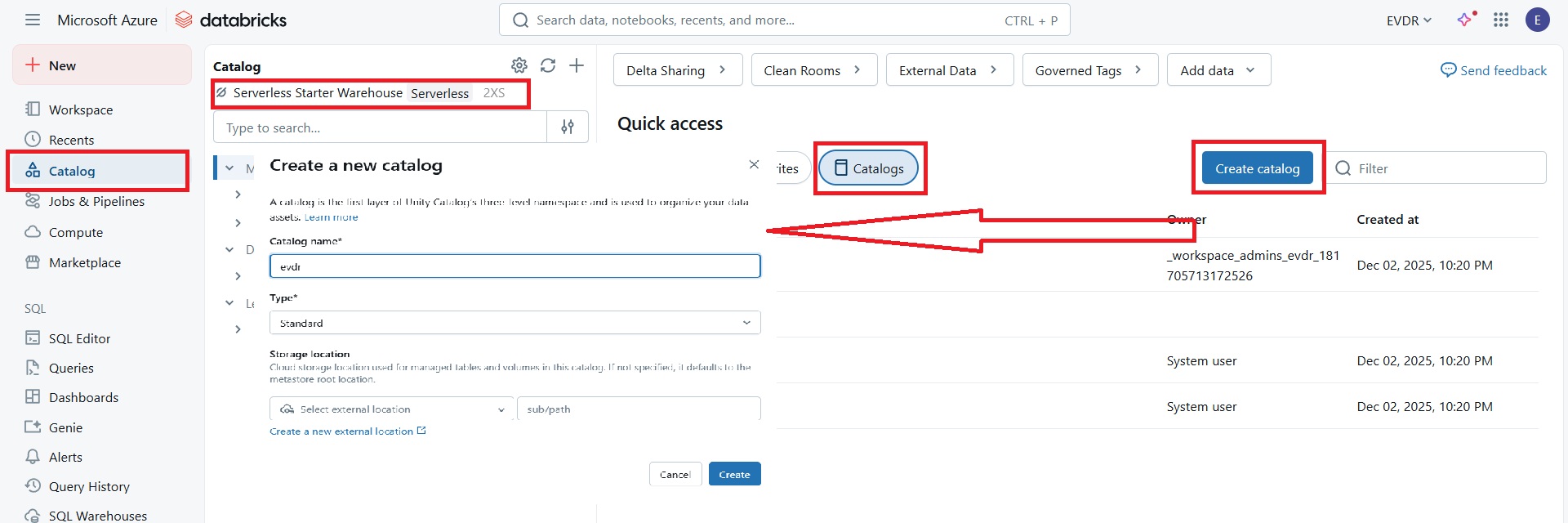
Create a new Connection: New created unity catalog, using created warehouse in the previous step, will be then connected to dbt project.
- Go to the Account Settings/Connection tab.
- Select Databricks
- Set the server hostname and HTTP path. Obtain these from your Databricks SQL warehouse connection details.
- Optionally set the name of created Unity Catalog
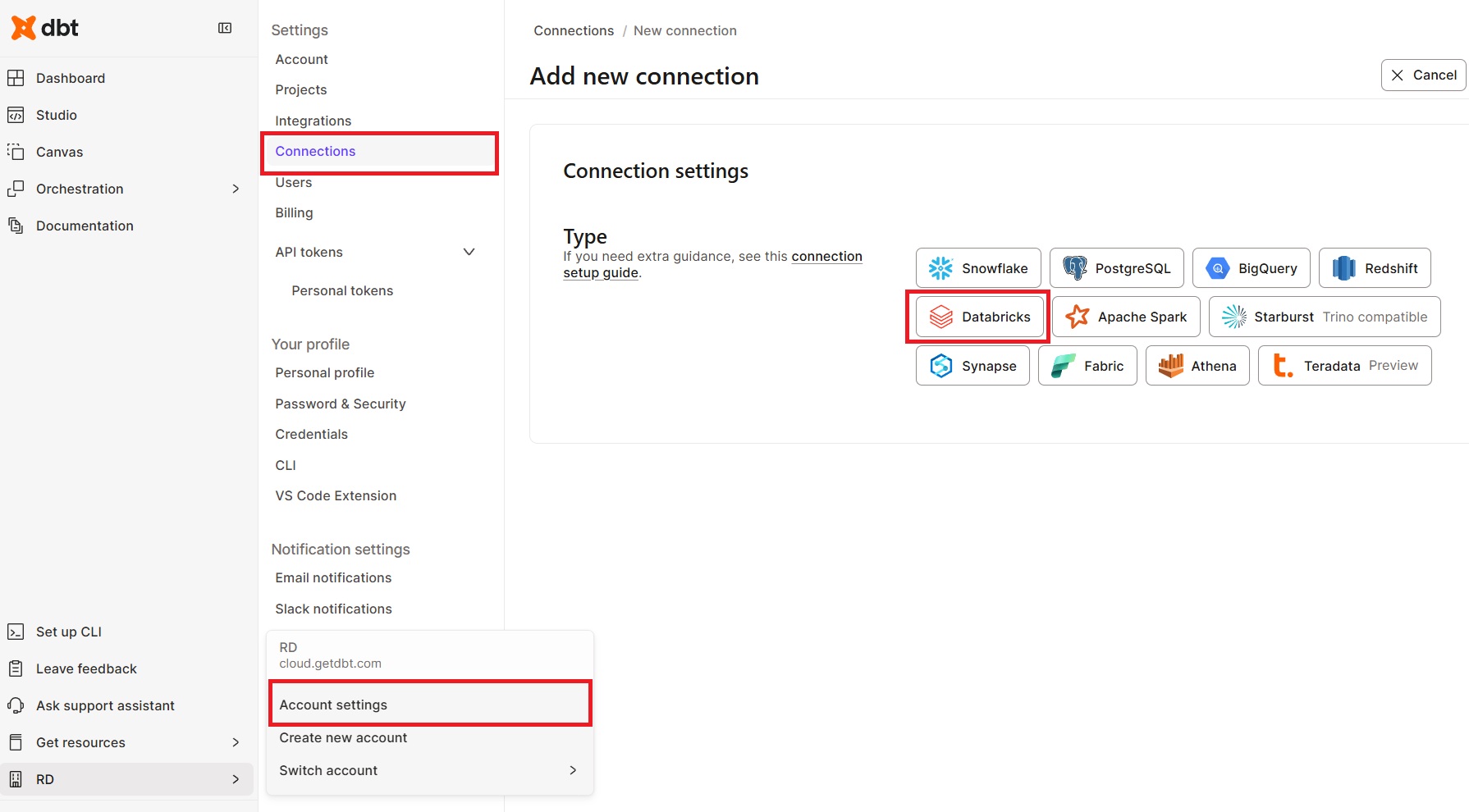

Set Up Access Tokens:
- Go to the Databricks Settings
- Generate a new token under Developer/Access Tokens tab
- Copy the token
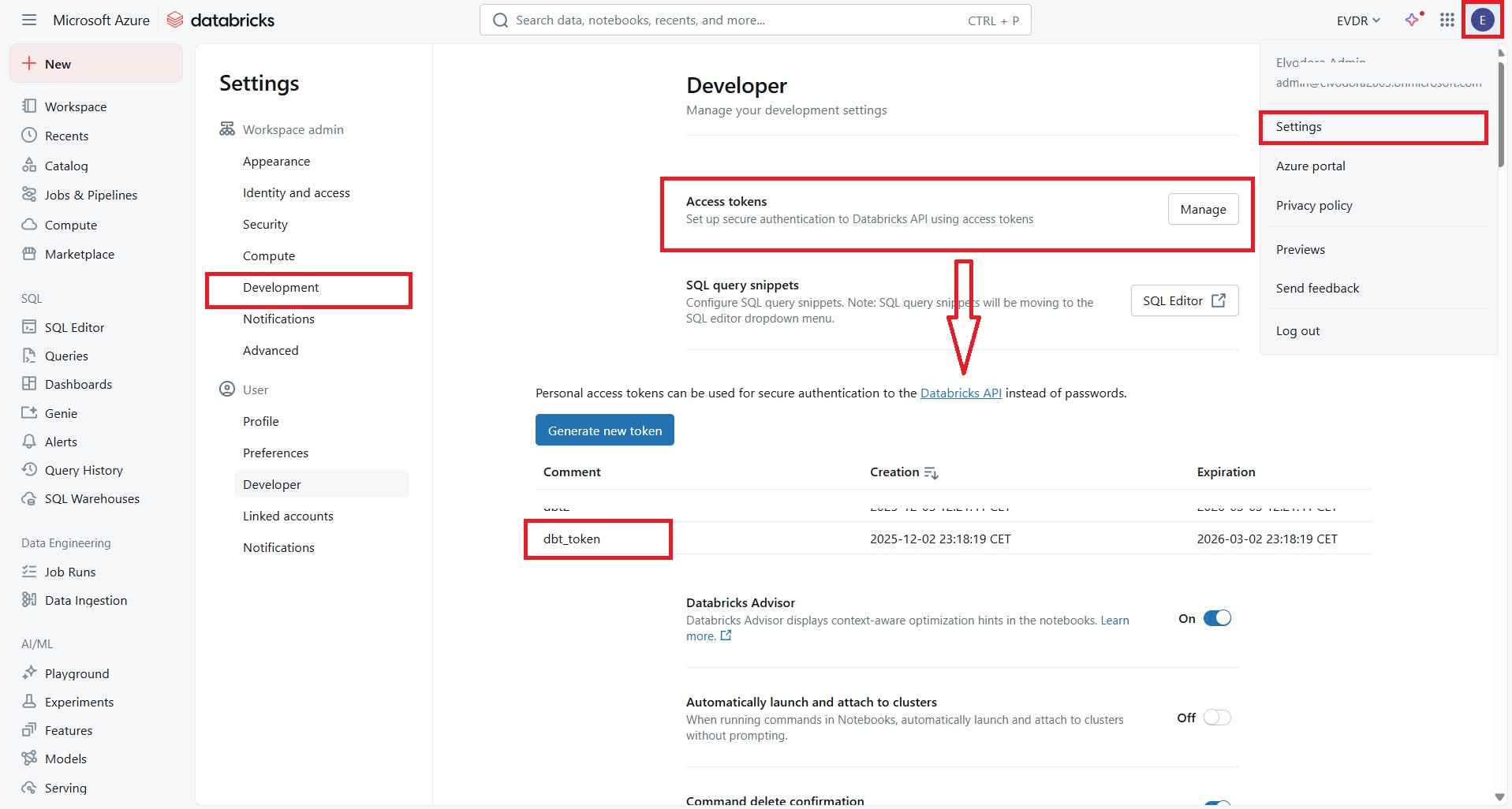
Create and init dbt project:
- Go to the Account Settings/Projects tab.
- Select New project
- Enter name of the project
- Select created Connection
- Select Token as Auth meto a paste the copied Databricks token
- Leave a schema as it is
- Setup a repository (1)
- Create a repository (2)
- Go to Studio Tab
- Init and commit repository to new branch (3)
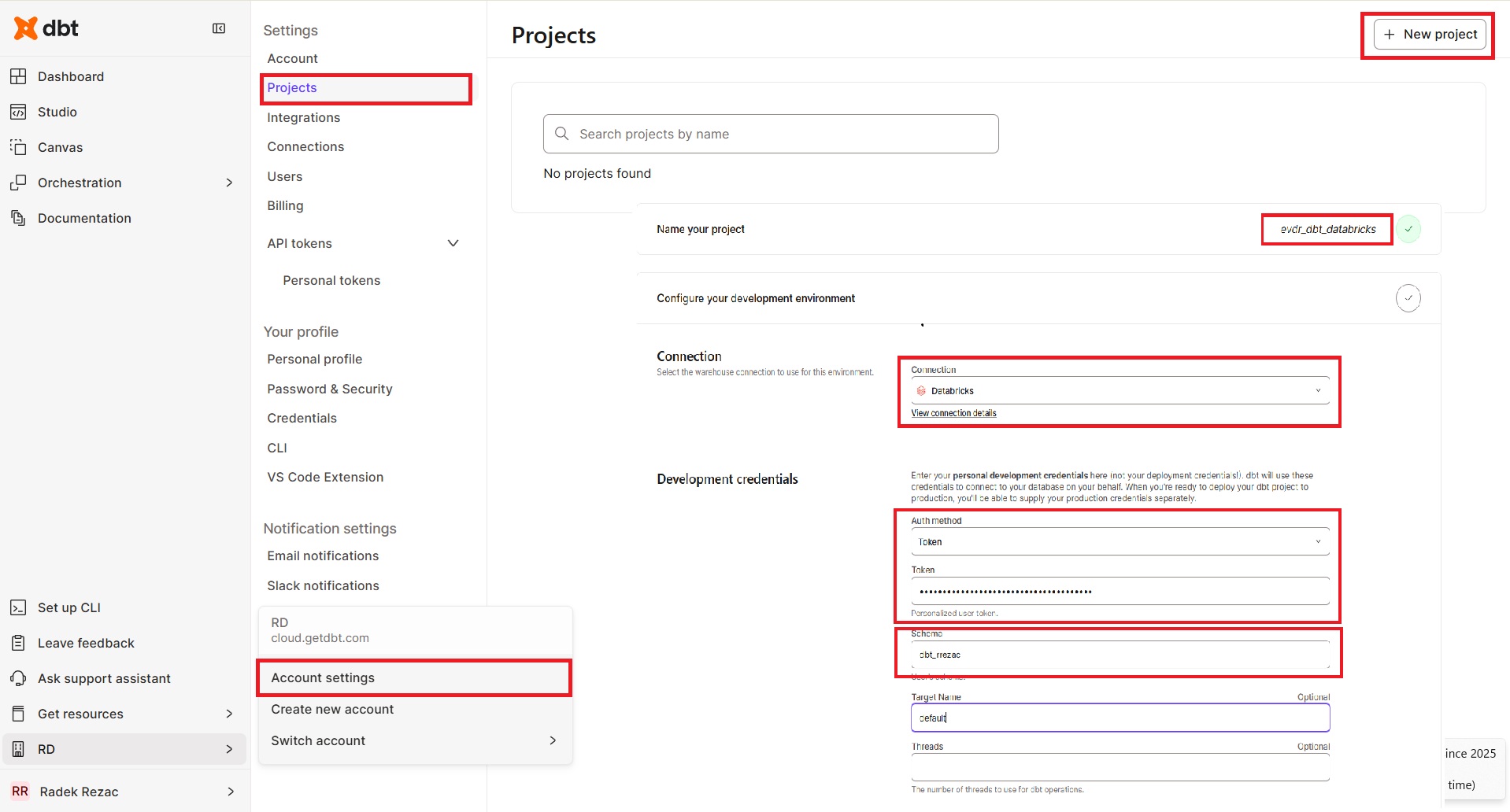

This procedure integrates Databricks Unity Catalog into your dbt project, allowing you to effectively manage and utilize your data assets.